

Every CRO agency I have talked to has the same problem. The test ideas are not the bottleneck. The backlog is full. The hypotheses are solid. But between mocking up the variation, getting the client to sign off, and waiting on dev to build it, each test takes weeks to go live. Half the ideas from last quarter’s roadmap never even made it into production. The bottleneck is not the thinking. It is the visualizing.
Wireframable is an AI wireframe generator that takes any live URL, crawls the page, and generates a redesigned wireframe using the site’s actual content, colors, and assets. It takes about two minutes. I want to show you how CRO teams are using it to go from hypothesis to client-approved visual without waiting on a designer.
The CRO Agency Bottleneck
The hardest part of running a CRO program is not coming up with test ideas. It is getting those ideas in front of the client in a way they can actually react to.
You write up a hypothesis: “Moving social proof above the fold and simplifying the hero CTA will increase demo requests.” The client reads it and says “sounds interesting, can you show me what that would look like?” Now you need a mockup. So you either open Figma yourself, or you hand it off to a designer and wait. If the designer is busy with other projects, your test idea sits in a queue.
When the mockup finally comes back, the client has feedback. They want to see a version with the testimonials in a different spot, or they want to try it with a different headline. Another round with the designer. Another few days.
By the time the variation is approved and built, three weeks have passed. The test that should have been live two sprints ago is just now entering QA. Multiply that by five or six tests per client per quarter and you start to see why most CRO programs run slower than they should.
The bottleneck is the gap between “here is what we think we should test” and “here is what it looks like.”
Close the Gap Between Hypothesis and Visual
That is what Wireframable does for CRO teams. Instead of writing up a hypothesis and waiting for someone to mock it up, you paste in the URL of the page you want to optimize, write a prompt describing the change, and get a visual wireframe back in under two minutes.
The wireframe uses the client’s actual content, images, colors, and fonts. It is not a generic sketch. It looks like their page, just rearranged the way your hypothesis suggests. You can share it with a link, and the client can see exactly what you are proposing without needing to interpret a written brief.
This means you can walk into a test planning call with visuals already prepared. Or generate them live during the call. The conversation shifts from “let me describe what I am thinking” to “let me show you.”
From URL to Wireframe in Four Steps
Here is what the process looks like end to end.
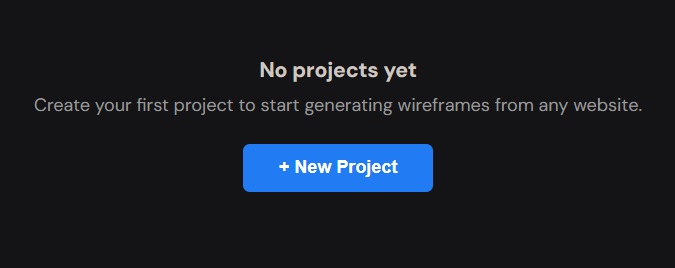
Step 1: Create a Project and Enter the Page URL
Sign in and click “New Project.” Name it after the client or the campaign. Paste in the URL of the page you want to optimize. This is usually the landing page or product page where you want to run the test.
The tool crawls the page and picks up the structure, content, images, colors, and fonts.
Step 2: Pick Brand Colors, Assets, and Fonts
After the crawl finishes, click “Generate Wireframe” to step through the configuration. Wireframable auto-detects the colors from the page. Select the ones that match the client’s brand.
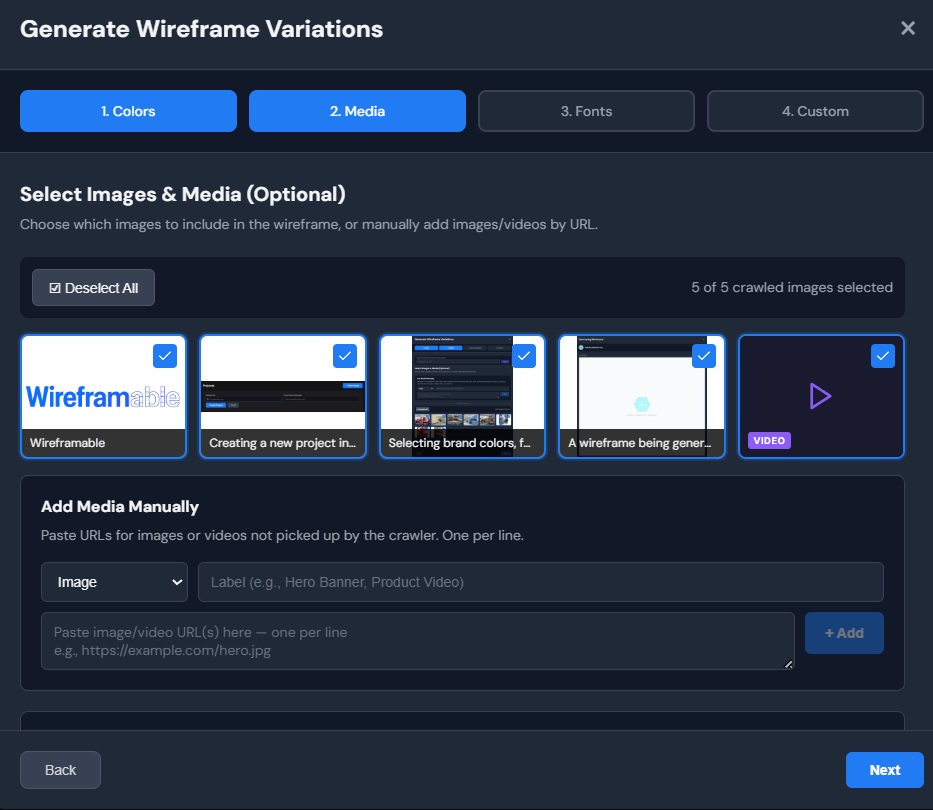
Next, select images and logos pulled from the page. If the client has specific assets for the test (a new hero image, an updated logo, a badge graphic), you can add those URLs manually. Label each asset so the AI knows where to place them.
Then pick the fonts. Wireframable detects the typefaces from the crawled page so the output matches the live site’s typography. This matters for CRO because the wireframe needs to feel like a plausible variation of the real page, not a generic mockup.
Step 3: Write a Prompt Based on Your Hypothesis
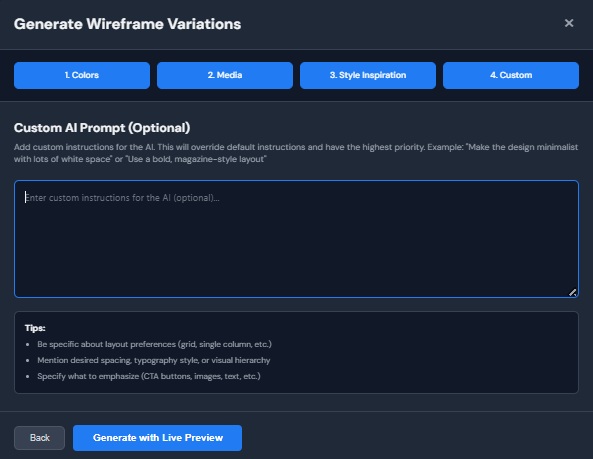
This is where you translate your test hypothesis into a design direction. The prompt tells the AI what to change. Be specific about the elements you want to move, add, or remove. Here are some prompts that work well for CRO projects:
- “Move the social proof section (testimonials and star ratings) above the fold, directly below the hero headline. Simplify the hero to one CTA button instead of two.”
- “Create 3 variations of this landing page. Version 1: add a sticky CTA bar at the top. Version 2: replace the hero image with a short-form video placeholder. Version 3: add a benefits checklist next to the main CTA.”
- “Redesign the pricing section. Show all three tiers side by side in a card layout with the middle tier highlighted. Add a money-back guarantee badge below the cards.”
The more closely your prompt matches your hypothesis, the more useful the wireframe will be when you present it to the client.
Step 4: Generate and Watch It Build
Hit generate and the wireframe streams to your screen in real time. You will see the layout build section by section over about one to two minutes.
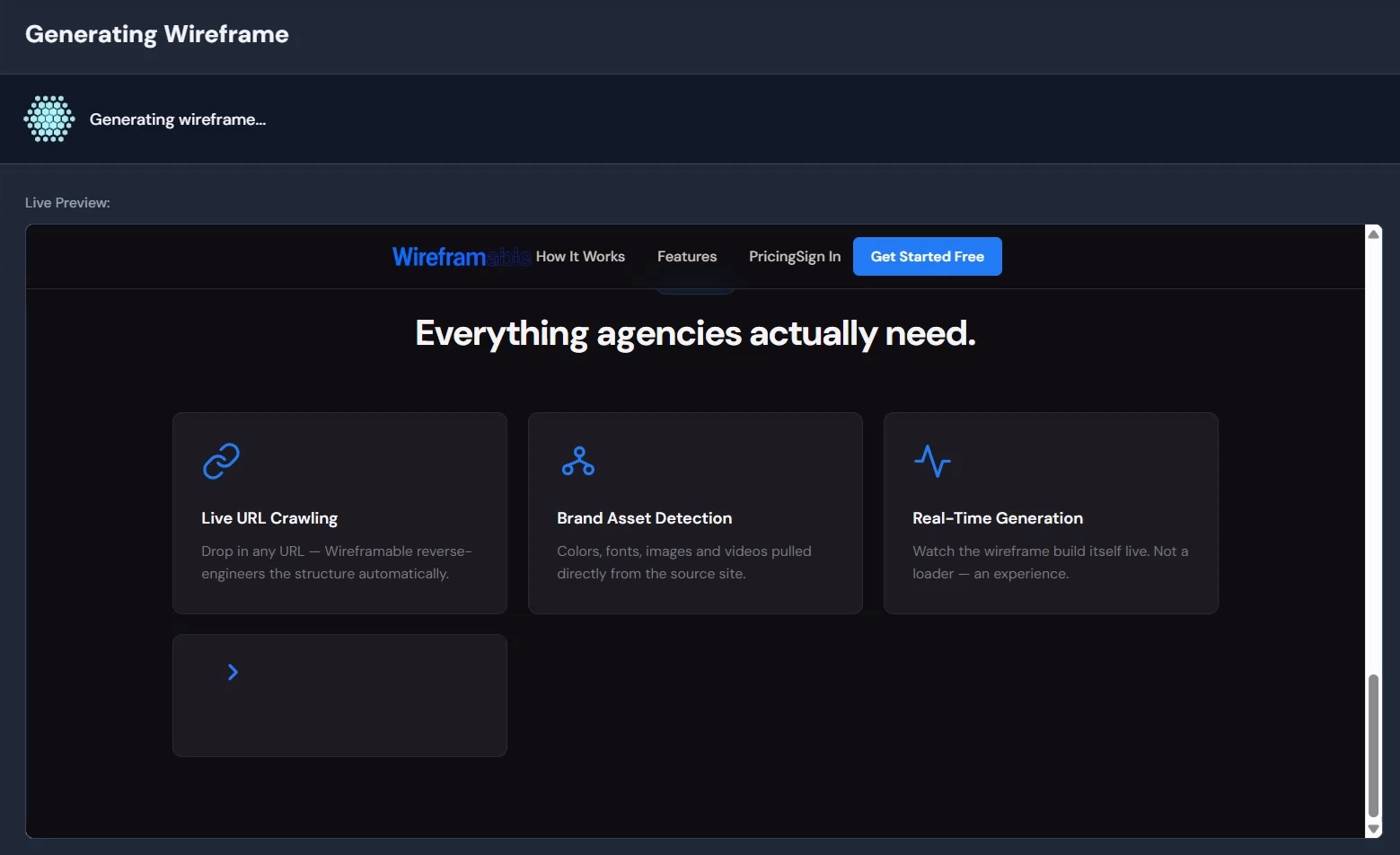
That is the whole thing. You now have a wireframe that shows the client exactly what the proposed variation looks like, built with their own page content and brand.
How CRO Agencies Are Actually Using This
The wireframe is not the test itself. It is the thing that gets the test approved and into development faster.
Sell test ideas to clients visually. Instead of a written hypothesis in a Google Doc, share a wireframe link. The client sees their page with the proposed changes already applied. The approval conversation goes from “what do you mean by moving the social proof up?” to “yes, I like that, let’s test it.” Approval in minutes instead of days.
Batch-generate variations for test planning. When you are preparing a quarterly test roadmap, generate a wireframe for each hypothesis. Show up to the planning meeting with five or six visuals instead of five or six bullet points. The client can prioritize based on what they actually see rather than what they imagine from your descriptions.
Reduce dependency on designers. Most CRO agencies do not have a dedicated designer sitting around waiting for wireframe requests. The strategist has the hypothesis. With Wireframable, the strategist can also produce the visual. This cuts the feedback loop from days to minutes and frees up design resources for the actual test build.
Speed up the dev handoff. Once the client approves the wireframe, the developer building the test variation has a clear visual reference. The wireframe is clean HTML and CSS, so they can see the exact layout, section order, and content placement without a separate design spec.
Why This Works for CRO Specifically
CRO is different from a typical redesign project. You are not building something from scratch. You are making targeted changes to an existing page and measuring what happens. That means the wireframe needs to feel like a variation of the page that already exists, not a new design.
It starts from the live page. Because Wireframable crawls the actual URL, the wireframe already has the client’s content, layout structure, and brand elements. You are showing a variation of their real page, which is exactly what an A/B test is.
Real content makes better test discussions. When the wireframe has the actual headline, body copy, and images, you can have a real conversation about what to change. “What if we shortened this headline to eight words?” is a more productive discussion when you are looking at the real headline, not placeholder text.
Speed matches the pace of testing. A good CRO program should be running multiple tests per month. If each test takes a week just to get a mockup approved, you are limited by the visualization step, not the ideas. Two-minute wireframes remove that limit.
Variations are cheap to produce. At the cost per wireframe, generating three or four variations of the same page to find the right angle is trivial compared to the cost of a designer’s time. You can explore more ideas and let the data decide which direction wins.
Start Wireframing Test Variations for Free
If your test backlog is growing faster than your team can visualize it, try generating a wireframe from the next page on your list. See how it feels.
Sign up free. 3 free credits every month, no credit card needed.