
There is a moment at the start of every redesign project that no one bills for. The client sends over their URL, you open Figma, and you spend the next hour or two just getting the bones of their current site onto the artboard. Eyedropping colors, downloading logos from the footer, guessing at fonts, placing content blocks. You are not designing yet. You are just setting up. Then the client asks to see it with the hero flipped to the other side and you are back to moving rectangles. There is a better starting point than a blank canvas.
Wireframable is an AI wireframe generator that crawls any URL, pulls the content, images, colors, and fonts from the page, and generates a clean wireframe in about two minutes. I am going to walk through how it works and why more design agencies are starting to use it as the first step before they even open Figma.
The Blank Canvas Problem
Every designer knows the feeling. You have a new project brief, a URL to the client’s current site, and a blank Figma file. The first hour is not even designing. It is just getting the bones of the existing site onto the artboard so you can start making changes.
You screenshot the current layout. You eyedrop the brand colors. You download their logo from the footer. You find the fonts in the source code, or you just guess. Then you start arranging rectangles until the current site’s structure is roughly in place. Only then can you start the actual creative work of rethinking the layout.
This is the part nobody talks about in the project timeline. The wireframing phase is not slow because the design decisions are hard. It is slow because the setup work to get from nothing to something takes longer than it should.
And it gets worse when the client wants to see multiple directions. Three concepts means three times that setup cost. If you are working on a fixed-price project, those extra hours eat straight into your margin.
Let the AI Handle the Setup
That is what Wireframable takes care of. Instead of rebuilding a client’s site from scratch in Figma, you paste in their URL and the AI extracts everything: content blocks, navigation, images, colors, fonts, layout structure. Then it generates a wireframe using all of that.
The output is clean HTML and CSS that you can view in the browser, share with a link, or use as a reference when you move into Figma for the polished design. It is not meant to replace your design work. It is meant to skip the part that is not really design work anyway.
Think of it as getting a two-hour head start on every project.
Step by Step: URL to Wireframe
Here is how the process works from start to finish.
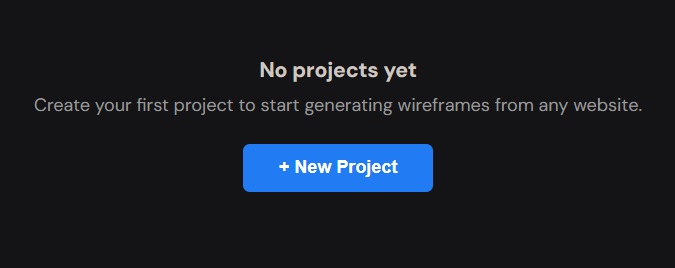
Step 1: Create a Project and Enter the Client’s URL
Sign in and click “New Project” from the dashboard. Name the project and paste in the URL of the site you want to wireframe. This is usually the client’s current site, but you can also use a competitor’s page or a reference site that has a layout you want to explore.
The tool crawls the page and grabs the structure, content, images, color palette, and fonts.
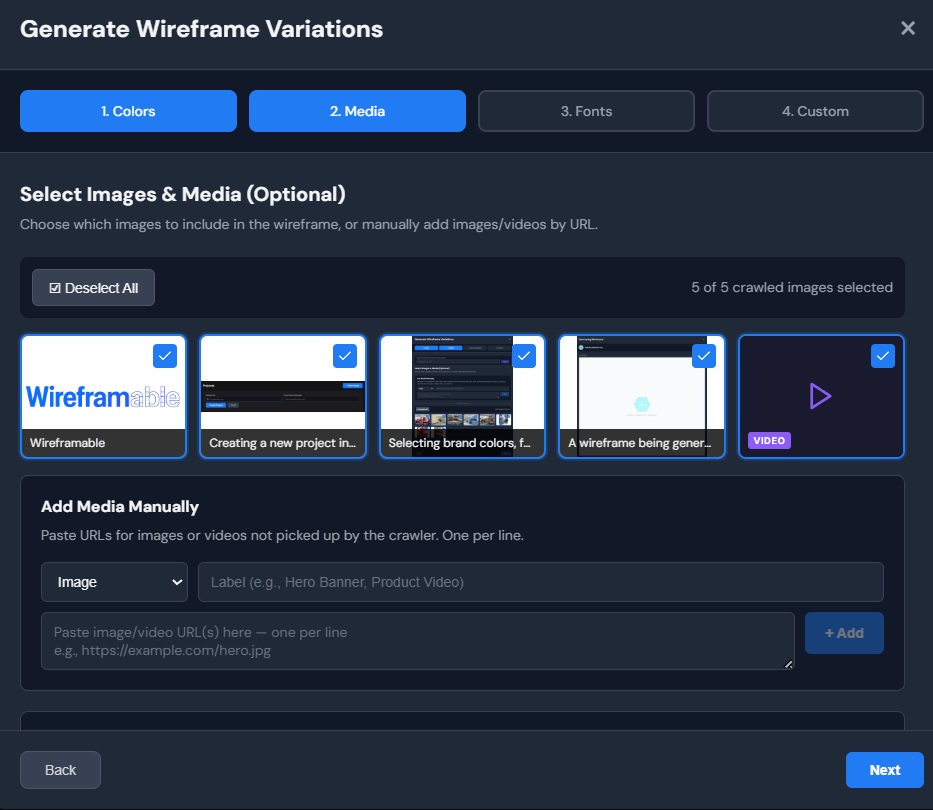
Step 2: Pick Brand Colors, Assets, and Fonts
After the crawl finishes, click “Generate Wireframe” to step through the configuration. Wireframable auto-detects the color palette from the site. Select the brand colors you want the wireframe to use, or pick all of them to stay close to the original.
Next you will see images and logos pulled from the page. Select the ones that should carry into the wireframe. If the client has shared a brand kit or specific assets, you can manually add those URLs as well. Labelling each asset helps the AI use them more accurately.
Then choose the fonts. Wireframable detects the typefaces from the crawled page so you can carry them into the wireframe. This is the step that makes the biggest difference. When the output already has the right typography, it feels like a real design, not a generic template.
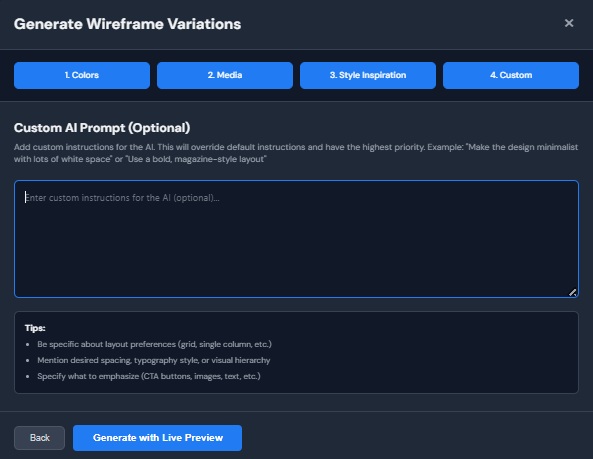
Step 3: Write a Prompt That Matches Your Vision
The custom prompt is where your design thinking comes in. Tell the AI what kind of layout you want to explore. Here are some prompts that work well for design agency projects:
- “Redesign the homepage with a bold, modern hero section. Use a split layout with the headline on the left and a product image on the right. Add a trust bar with client logos below the fold.”
- “Create 3 variations of the landing page. Each should have a different hero approach: one full-width image, one with a video background, one minimal with just text and a CTA.”
- “Simplify the page structure. Reduce the number of sections to five: hero, features, testimonials, pricing, and footer. Use generous white space and keep the visual hierarchy clean.”
You do not need to specify every detail. Give the AI a direction and let it interpret. If the first result is close but not quite what you had in mind, adjust the prompt and regenerate.
Step 4: Generate and Watch It Build
Hit generate and the wireframe streams to your screen in real time. You will see the HTML and CSS build section by section over about one to two minutes.
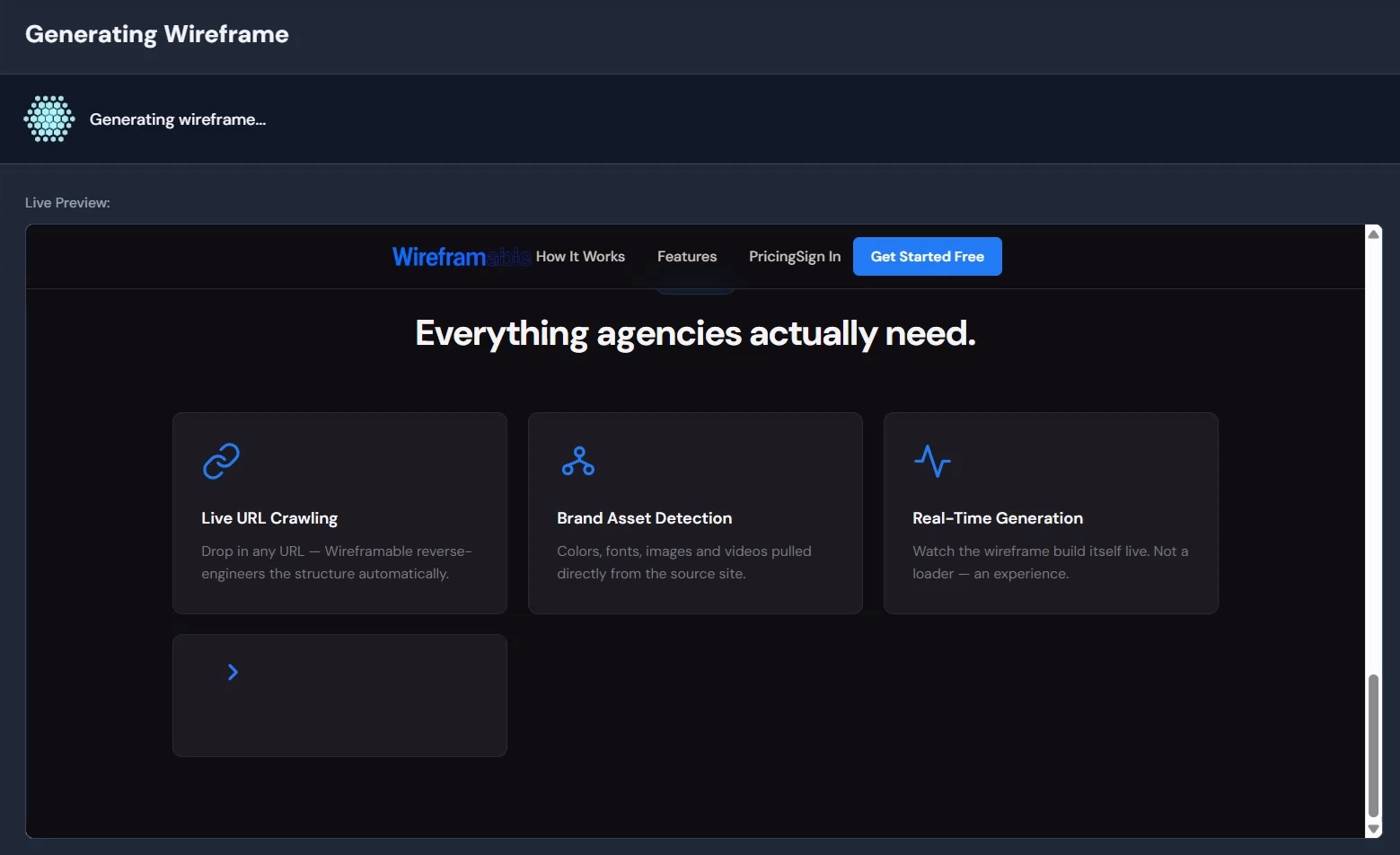
From URL to finished wireframe in under two minutes, all using the client’s real content and brand. No blank artboard required.
How This Fits Into a Design Agency Workflow
The wireframe is not the final deliverable. It is the thing that gets you to the final deliverable faster. Here is how design agencies are actually using it.
As a starting reference for Figma. Generate the wireframe, open it in your browser, and use it as a visual reference while you design the polished version in Figma. You already have the layout structure, content blocks, and brand elements figured out. Now you are just refining, not rebuilding.
As a client presentation tool. Share the wireframe link with the client before you start the high-fidelity design. They can see the proposed layout, content flow, and structure using their own brand. This gets alignment early and reduces the number of surprises in the design review.
For exploring multiple directions quickly. When a client wants to see three concepts, you do not need three rounds of Figma work. Generate three wireframes with different prompts in under ten minutes. Let the client pick a direction, then invest the real design time in the one they chose.
For pitching new clients. Wireframe their current site before the first meeting. Walk in with a visual showing what their redesigned site could look like. It is a much stronger pitch than a slide deck with bullet points about your process.
Why Designers Specifically Like This
Wireframable was built for people who build websites, and that includes designers. A few things that make it work for the design workflow:
It uses real content. The wireframe is populated with the actual headlines, body text, and images from the client’s site. You are not looking at Lorem Ipsum and grey placeholder boxes. You are seeing how the real content flows through the proposed layout.
It respects the brand. Because you select the colors, fonts, and assets before generation, the output already feels on-brand. You are not starting from a generic wireframe kit and swapping in brand elements after the fact.
It is fast enough to use during a call. Two minutes is short enough that some agencies are generating wireframes live during client discovery calls. Pull up the client’s site, paste the URL, pick a prompt, and show them a wireframe of their own site before the meeting ends.
Previous versions are saved. Every wireframe you generate is preserved in the project. You can compare versions side by side and go back to an earlier direction if the client changes their mind.
Start Wireframing Client Sites for Free
The wireframing phase does not need to be the bottleneck. Paste a URL, pick the brand, write a prompt, and have a wireframe ready before you even touch Figma.
Get started free. 3 free credits every month, no credit card required.