

I have been building sites for agency clients for a while now. The pattern is always the same. A prospect reaches out, they want a redesign, and before they will commit to anything they want to see what you would actually do with their site. So you spend half a day in Figma recreating their current layout just to have something to present in the pitch meeting. If they say yes, great. If they say no, that time is gone. There is a faster way to do this.
I built Wireframable to solve this exact problem. It is an AI wireframe generator that takes any URL, crawls the page, and produces a clean wireframe using the site’s actual content, colors, and assets. The whole thing takes about two minutes. Here is how it works and why it has completely changed how I approach pitches.
The Problem With Wireframing on Spec
If you have worked at an agency for more than a few months, you know the cycle. A lead comes in. They want a redesign. Before they commit to a contract, they want to see your “vision” for their site. So you pull up their current homepage, screenshot it, open Figma, and start recreating the layout from scratch. You tweak the hero, rearrange the nav, swap in a better CTA placement, and three hours later you have a wireframe that might get you a yes or might get you a “we will think about it.”
The math does not work when you are pitching multiple clients a month. Every pitch that does not convert is hours of unbillable dev time. And even when a pitch does land, the wireframe you built on spec is usually just a rough starting point that gets rebuilt anyway.
The real bottleneck is not the wireframing itself. It is that you are doing it before you are getting paid to do it.
Skip the Spec Work, Keep the Wireframe
That frustration is what led me to build Wireframable. The idea is simple: instead of manually recreating a page layout, you paste in a URL and the AI handles the rest. It crawls the site, pulls out the content hierarchy, navigation structure, images, colors, and fonts, and then generates a full wireframe using the client’s actual brand.
The output is clean HTML and CSS. Not a screenshot, not a lo-fi sketch. A real, interactive wireframe that you can share with a link or hand off to your dev team as a starting point.
You can generate a wireframe of the client’s current site, a competitor’s site, or a reference page you want to riff on. Each one takes about a minute or two and costs one credit.
The Full Walkthrough
Once you have done this a few times it becomes second nature. The whole thing is four steps and about two minutes.
Step 1: Create a Project and Enter the Client’s URL
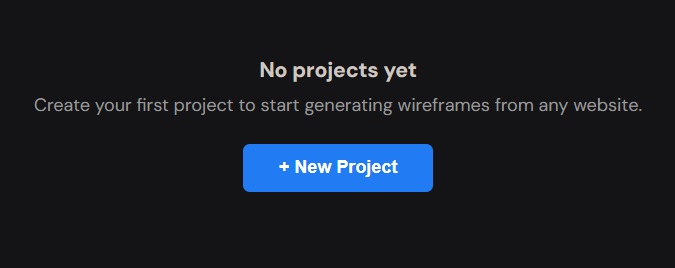
Sign in and click “New Project” from the dashboard. Give the project a name and paste in the URL of the site you want to wireframe. This is usually the client’s current site, but it can be a competitor, a reference page, or any publicly accessible URL.
Wireframable crawls the page and pulls the structure, content, images, colors, and fonts for you.
Step 2: Pick Brand Colors, Assets, and Fonts
After the crawl finishes, click “Generate Wireframe” and you will step through the configuration. Wireframable auto-detects the colors used on the site. Pick the ones that match the client’s brand, or select all of them to keep things close to the original.
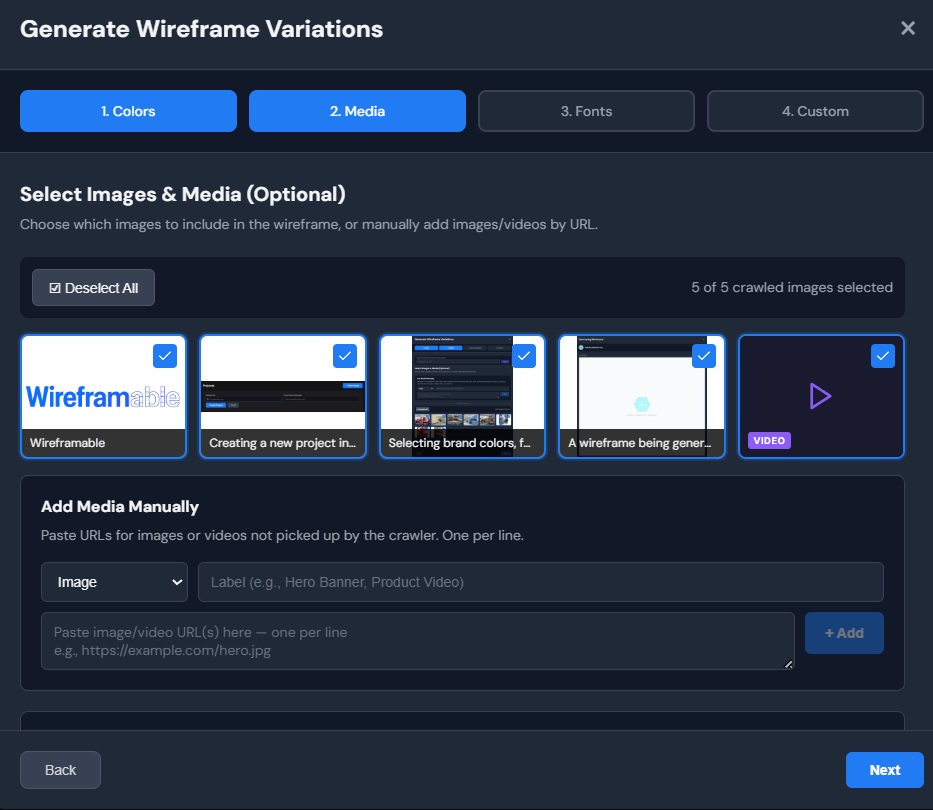
Next you will see images and logos pulled from the page. Select the ones you want the wireframe to use. If the client has sent over specific assets, you can manually add URLs for those too. Labelling each asset helps the AI place them more accurately.
Same goes for fonts. Wireframable detects the typefaces from the crawled page and lets you choose which ones carry over. Getting the typography right at this stage means the output already feels on-brand.
Step 3: Write a Prompt That Matches the Brief
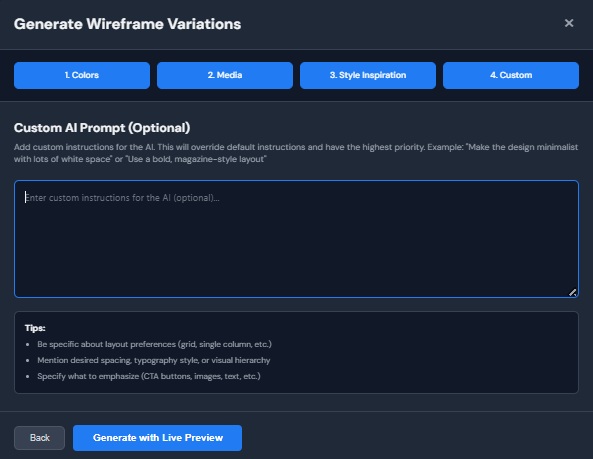
This is where you steer the output. The custom prompt field lets you tell the AI exactly what you want. Be specific about what you are trying to show the client. Here are some prompts that work well for agency pitches:
- “Redesign the homepage with a stronger hero section. Add social proof and reduce the number of CTAs to one.”
- “Create 3 wireframe variations of the landing page. Keep the navigation structure but modernize the layout with a card-based features section.”
- “Focus on the above-the-fold experience. Split layout with headline and CTA on the left, product image on the right. Include a trust bar with client logos below the hero.”
Start broad and let the AI make decisions. You will get better results giving it room to interpret than trying to specify every pixel. If the first output is close but not quite right, tighten the prompt on the next generation.
Step 4: Generate and Watch It Build
Hit generate and the wireframe streams to your screen in real time. You will see the HTML and CSS build section by section. The whole thing takes about one to two minutes depending on page complexity.
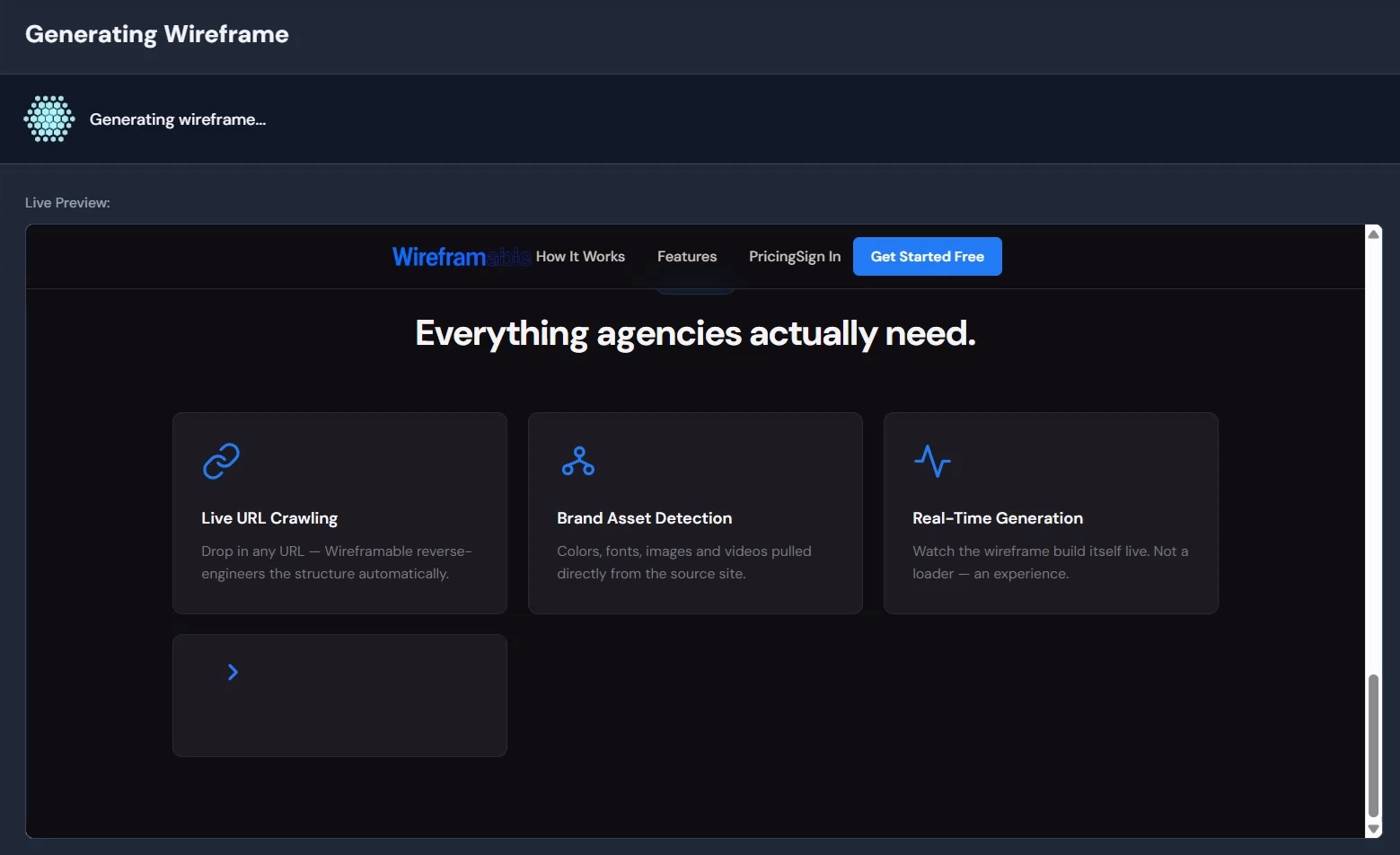
That is the whole process. You now have a wireframe built from the client’s actual site content and brand, and you did not open Figma once.
What to Do With the Output
Once the wireframe is generated, you have a few options depending on where you are in the sales cycle.
Share it with the client. Click the share button and you get a public link. Anyone with the link can view the wireframe without logging in, no attachments, no “can you open this Figma file” back-and-forth. Just send the link and let them see what a redesign of their site could look like. This is the fastest way to get feedback before a contract is signed.
Use it as a dev spec. Every wireframe is clean HTML and CSS. Copy it out and drop it into your project, a CodePen, or wherever your team works. It is structured enough to build from and clear enough that a junior dev can follow the layout without a separate design handoff meeting.
Generate variations. Not sure which direction the client will prefer? Run two or three versions with different prompts and let them pick. At the cost per wireframe, running a few variations is still cheaper than the time you would spend building one version manually.
Why This Works for Agencies Specifically
Wireframable is not the only AI tool out there, but the reason it fits the agency workflow is that it starts from a real site, not a blank canvas.
Speed up the pitch phase. Instead of spending three hours on spec work, you spend two minutes. You can wireframe a prospect’s site before the first call and walk into the meeting with something to show. That changes the conversation from “here is what we could do” to “here is what we would do.”
Reduce the cost of a lost pitch. When a wireframe takes hours, every lost pitch stings. When it takes two minutes, you can pitch more aggressively without worrying about wasted time. The volume math starts working in your favor.
Show clients their own brand. Generic mockups do not land the same way. When a client sees their own colors, their own images, and their own content rearranged into a better layout, the wireframe feels real. It is not a template. It is their site, reimagined.
Iterate without rebuilding. Client wants to see the hero section with a different layout? Change the prompt and regenerate. Each iteration is a new credit, but it is still faster than opening Figma and moving boxes around for an hour. Previous versions are saved so you can compare.
Start Wireframing Client Sites for Free
If you are tired of spending hours on wireframes for pitches that might not go anywhere, give this a shot. Paste a prospect’s URL, configure the brand, write a prompt, and see what comes back. Worst case you wasted two minutes.
Try it free. Every account gets 3 free credits per month. No credit card required.