
Most CRO tools help you explain what is wrong with a website. The problem is that clients do not pay for explanations. They pay for the fixed version.
This article covers the CRO tools people actually use in 2026, how well they work for small agencies and freelancers, and one tool that skips the audit entirely and jumps straight to the answer.
How We Scored Each Tool
We scored each tool on three things that actually matter when you are mid-engagement and need to move.
Speed — how fast you get something useful out of it. A 5 means you have output the same day. A 1 means you are waiting weeks before the data is worth looking at.
Price — what it costs for a freelancer or small agency, not the enterprise number. A 5 is free or close to it. A 1 is the kind of line item you have to justify.
Ease of use — can someone on your team pick it up and get value on day one. A 5 means no ramp-up. A 1 means you are reading docs before you can do anything.
1. Wireframable
This one is different from the rest of the list, and it is worth being upfront about that. Wireframable does not help you audit a site. It helps you skip the audit.
You paste in the client’s URL, it crawls the page, pulls the brand assets, and generates a production-ready wireframe of the improved version in real time. You are not writing a report about what is wrong. You are showing them what right looks like before they have even agreed to hire you.
For agencies and freelancers, this changes the pitch entirely. The conversation stops being about convincing someone their site has problems and starts being about which version they prefer. It just closes faster.
The tool is credit-based with no subscription. You buy credits when you need them and they never expire. Every account gets three free credits per month, no card required.
| Speed: 5/5 | Price: 5/5 | Ease of use: 5/5 |
2. Hotjar
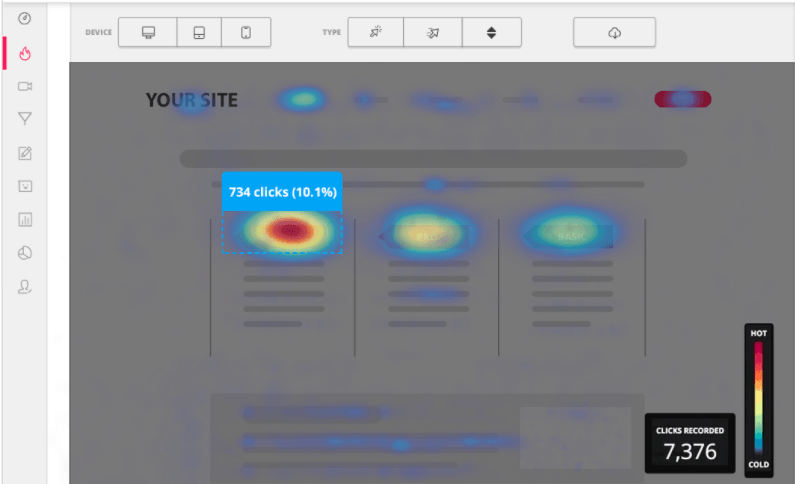
Hotjar is the standard starting point for most CRO audits. Heatmaps, session recordings, feedback widgets. It is genuinely useful once you have enough traffic for the data to mean something, which is the catch. On a lower-traffic site you might wait two or three weeks before the picture is clear enough to act on. That delay kills momentum on client engagements where you are trying to show progress early.
The interface is clean and most people pick it up quickly. The free tier is limited enough that serious use means a paid plan starting around $39 a month. For what you get at that price, it is fair. Just know what you are getting into with the data collection timeline.
| Speed: 3/5 | Price: 3/5 | Ease of use: 5/5 |
3. Microsoft Clarity
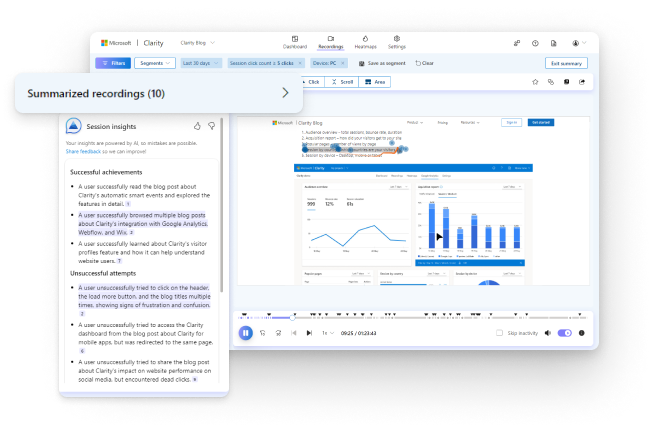
Clarity does most of what Hotjar does and it is completely free. For smaller sites or clients who are not ready to spend on tooling yet, it is the obvious choice. The session recordings are solid. Heatmaps are good enough. It lacks some of the polish and deeper segmentation that Hotjar offers, but for a first pass on a site audit it more than earns its price, which is nothing.
If you are on a tight margin and need behavior data, start here. You can always upgrade to Hotjar later if the project justifies it.
| Speed: 3/5 | Price: 5/5 | Ease of use: 5/5 |
4. Google Analytics 4
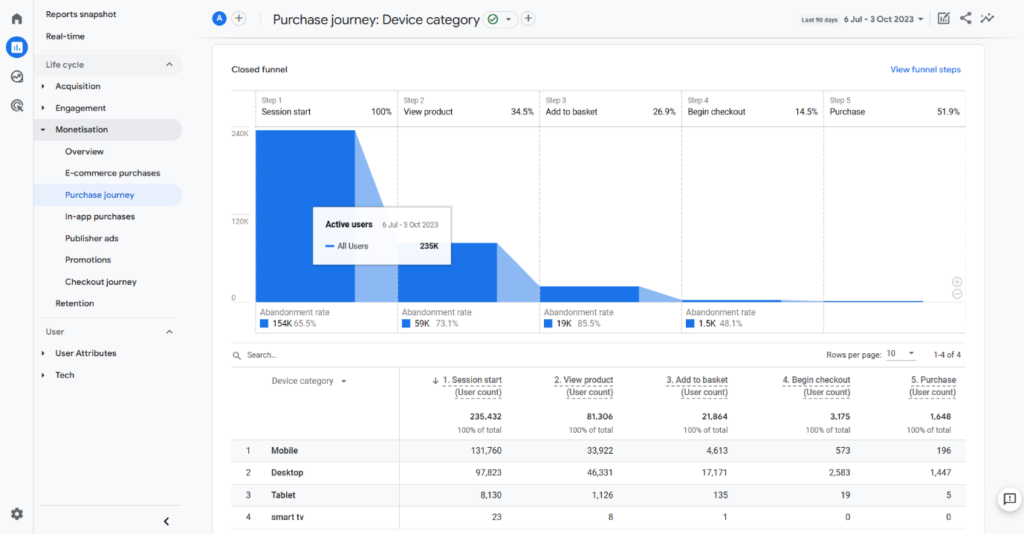
GA4 is not really a CRO tool on its own but it is the foundation everything else sits on. Funnel drop-off, traffic sources, conversion events. If the data there is trustworthy, it is invaluable for understanding where people are falling out of the conversion path.
The problem is that GA4 punishes you for not setting it up properly from the start, and most sites have not. Events are misconfigured, goals are missing, and the attribution model has been changed without anyone documenting why. If the tracking is clean, GA4 is the first place you should look. If it is not, you are going to burn a real chunk of the engagement just getting the data into a state you can trust before you can read anything from it. And that is time the client sees as “nothing happened yet.”
| Speed: 2/5 | Price: 5/5 (free) | Ease of use: 2/5 |
5. Crazy Egg
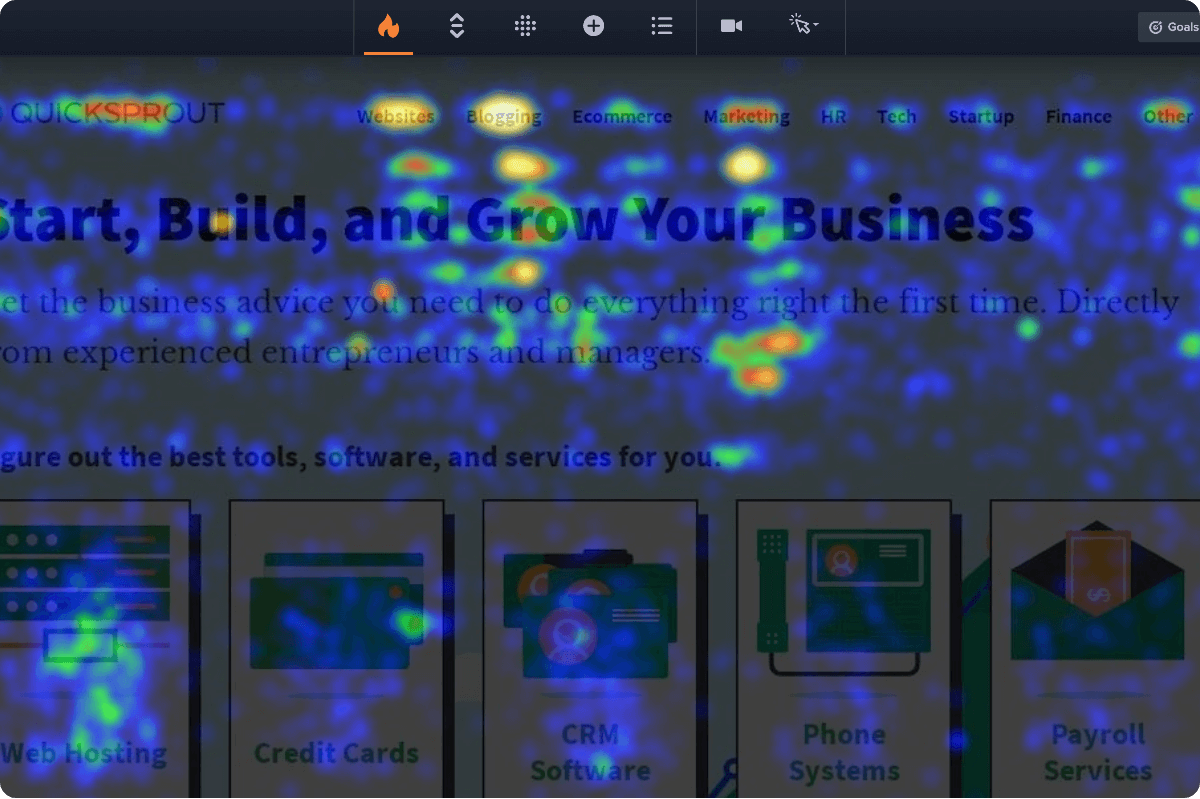
Crazy Egg sits in similar territory to Hotjar and Clarity but with a focus on visual reports that are easy to share with clients. Click maps and scroll maps that non-technical stakeholders can actually interpret without you standing over their shoulder explaining what they are looking at.
It is more approachable in a presentation context than raw session recordings. When you need to show a client why something is not working, a scroll map that shows 90% of visitors never reaching the CTA is more persuasive than a thirty-minute screen recording. Not the deepest tool in the category, but it fills a real gap when your audience is the client, not the analyst.
| Speed: 3/5 | Price: 3/5 | Ease of use: 4/5 |
6. VWO
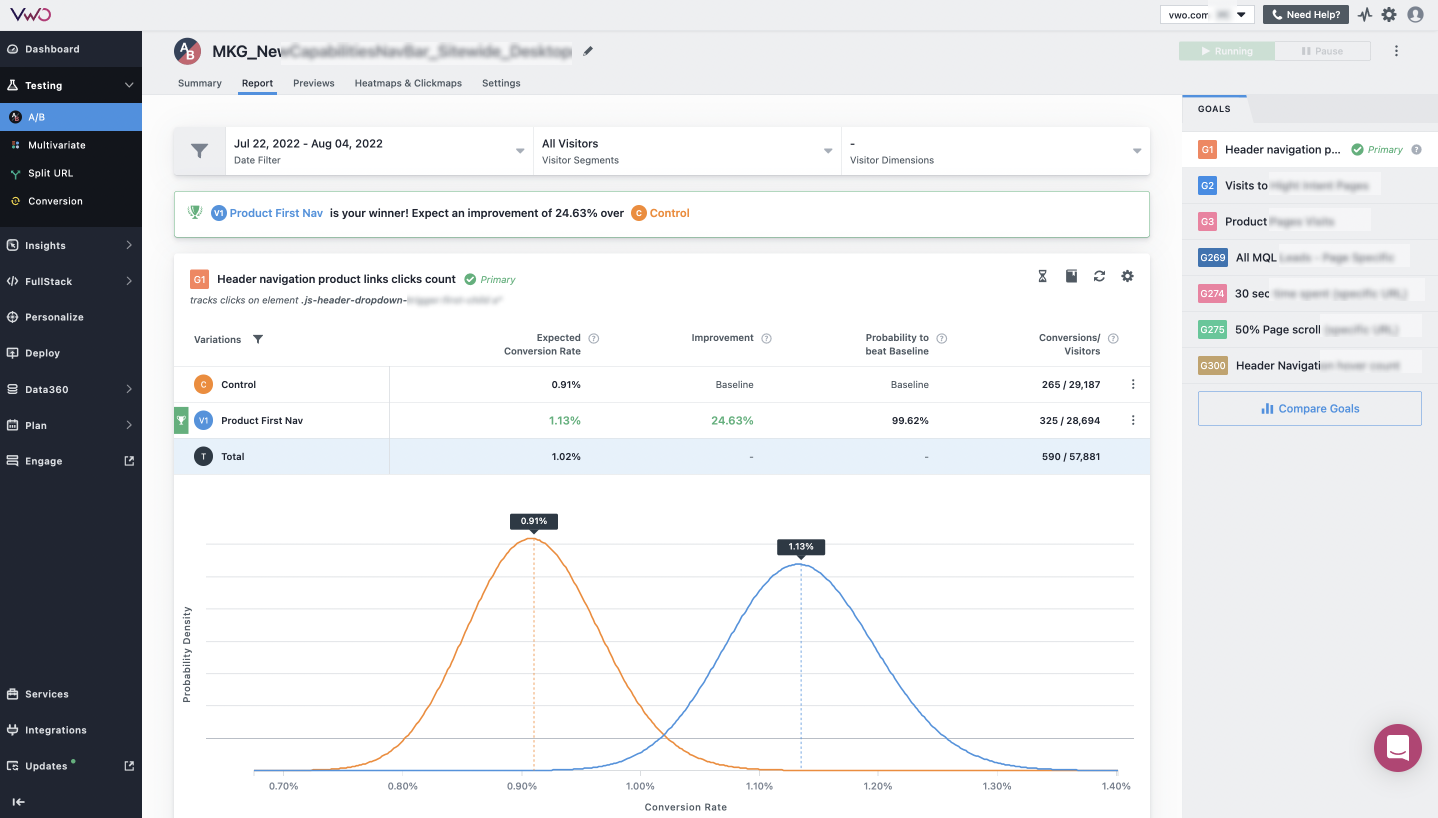
VWO is an A/B testing platform more than an audit tool, but it comes up in CRO conversations often enough to include. The honest take is that it is most useful after you already know what to test. Running experiments before you have a clear hypothesis from your behavior data is just burning time and budget. You need to know the question before you can design the test.
For small to mid-size agencies it is also priced for teams that run tests continuously, which most client engagements do not. You engage for a few months, you optimize, you hand it off. A testing platform with a monthly commitment does not always fit that rhythm.
| Speed: 2/5 | Price: 2/5 | Ease of use: 3/5 |
7. Optimizely
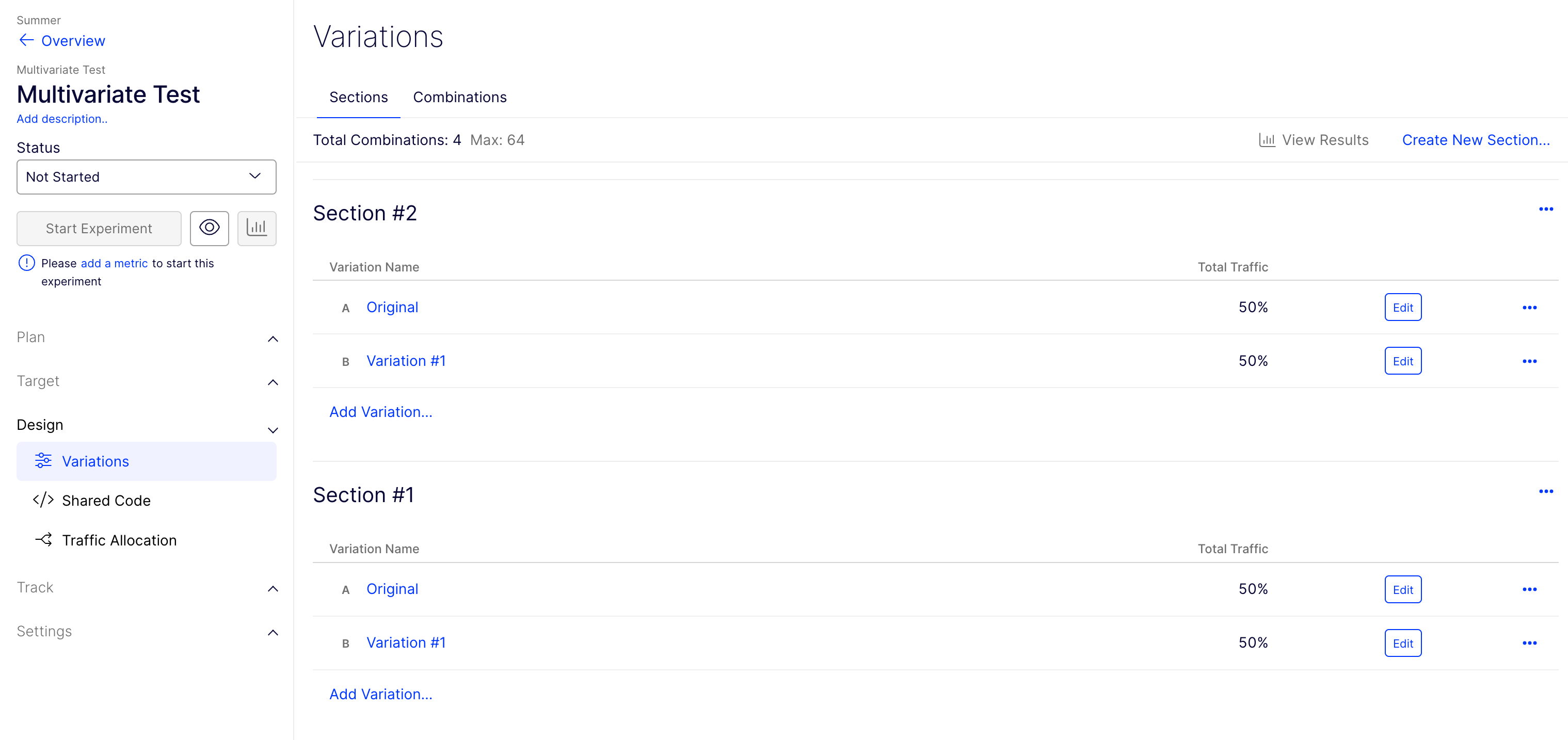
Enterprise experimentation platform. Serious infrastructure for teams that run dozens of tests simultaneously with statistical rigor. If you are a freelancer or small agency reading this, it is not for you and that is fine. It is built for companies with dedicated CRO programs, internal data science teams, and traffic volumes that make multivariate testing worth the setup cost.
Including it here because it shows up in every “best CRO tools” article and people wonder if they are missing out. You are not. It solves a problem you do not have yet.
| Speed: 1/5 | Price: 1/5 | Ease of use: 2/5 |
8. Mouseflow
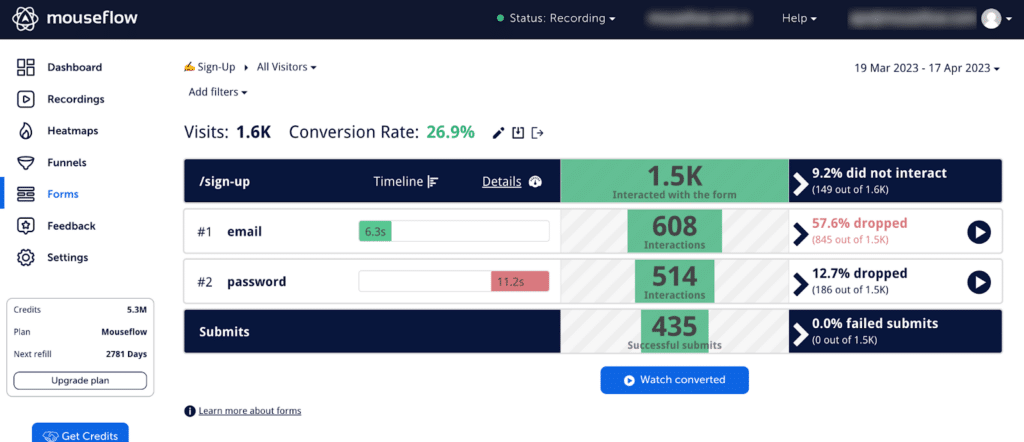
Mouseflow is a strong option if you want more granular funnel tracking alongside the standard heatmap and session recording features. Where it earns its spot is form analytics. If the conversion path runs through a long form, Mouseflow tells you which field is causing people to abandon, something Clarity does not do.
Setup takes longer than Clarity or Hotjar and the free plan is limited to 500 recordings per month. For the right project, particularly anything with a multi-step signup or a quote request form, it earns its place in the stack and gives you data nobody else in this list provides.
| Speed: 3/5 | Price: 3/5 | Ease of use: 3/5 |
The Real Problem These Tools Do Not Solve
All of the tools above make you better at explaining what is wrong. Some of them are genuinely useful. Hotjar and Clarity give you behavior data that is hard to argue with. GA4 shows you the funnel. Crazy Egg makes it presentable. But none of them solve the core problem, which is that clients do not buy audits. They buy confidence. They want to see the answer, not a description of the question.
You can walk into a meeting with twenty pages of heatmap analysis and scroll depth data. It is all correct. And the client will still ask, “So what would the new version look like?” Every tool above helps you build the case. None of them help you show the result.
Wireframable is the only tool in this list that addresses that directly. It is not a replacement for understanding conversion rate optimization. You still need to know why a page is underperforming. But it is what you reach for when you want to close faster, when you want to walk in with the answer instead of the diagnosis.
Generate a wireframe from the page you are looking at right now. Three free credits, no card required.