This guide shows you how to build a wireframe fast using Wireframable. Describe what you want (or crawl an existing site), and the AI generates a complete page layout in 30-60 seconds. No blank canvas, no dragging rectangles around for an hour.
How to Create a Wireframe Fast (Step-by-Step)
There are two paths depending on whether you have an existing page to reference.
If You Have a Live Page to Reference
Use this when redesigning an existing site, pulling inspiration from a competitor, or wireframing a page that already exists.
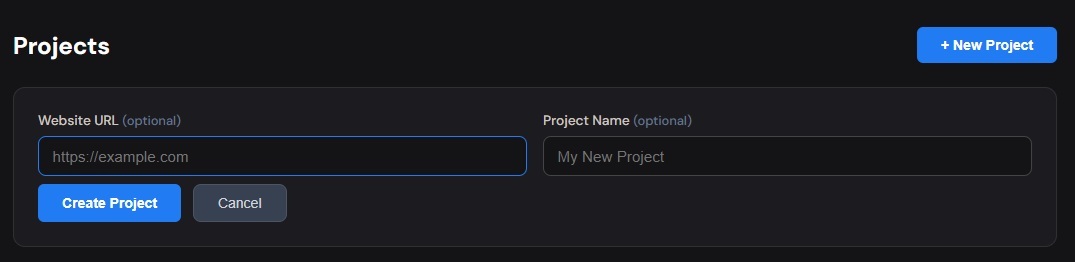
Step 1: Create a project in Wireframable and enter the page URL.
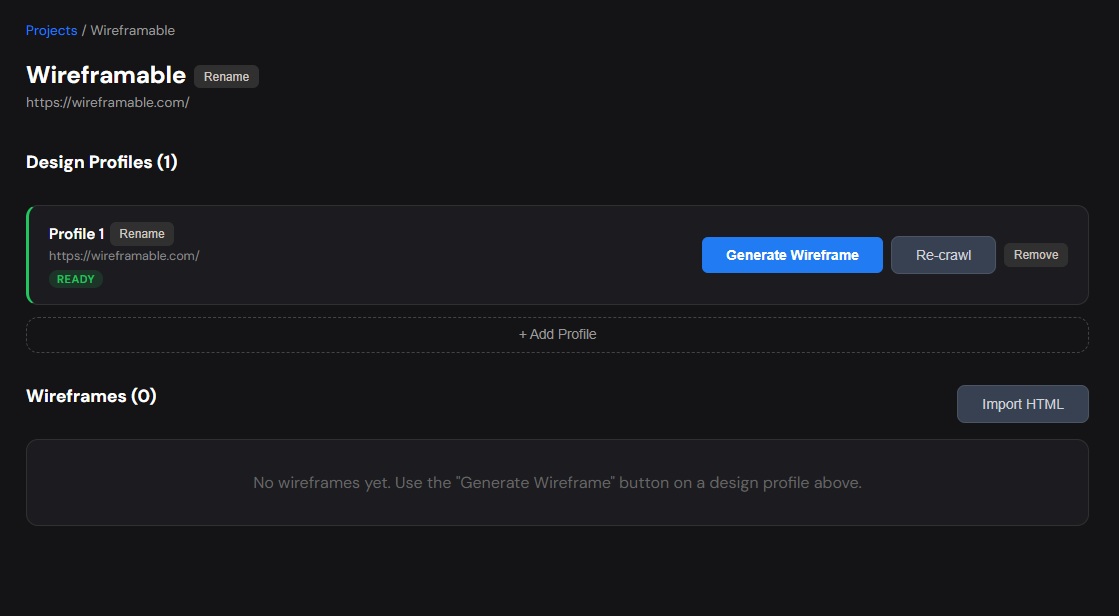
Step 2: Click Crawl on the design profile. The tool extracts colors, fonts, images, and page structure in a few seconds.
Step 3: Click Generate Wireframe on the ready profile. The 4-step modal pre-fills your brand assets from the crawl:
- Colors are auto-detected and shown for selection
- Images from the page are pre-selected
- Fonts are detected and ready to assign roles
- The prompt is optional (the crawled structure provides context)
Step 4: Click Generate with Live Preview. In 30-60 seconds you have a wireframe.
If You Are Starting From Scratch
Use this for new projects, internal tools, or any page that does not exist yet.
Step 1: Create a project without a URL. Give it a descriptive name.
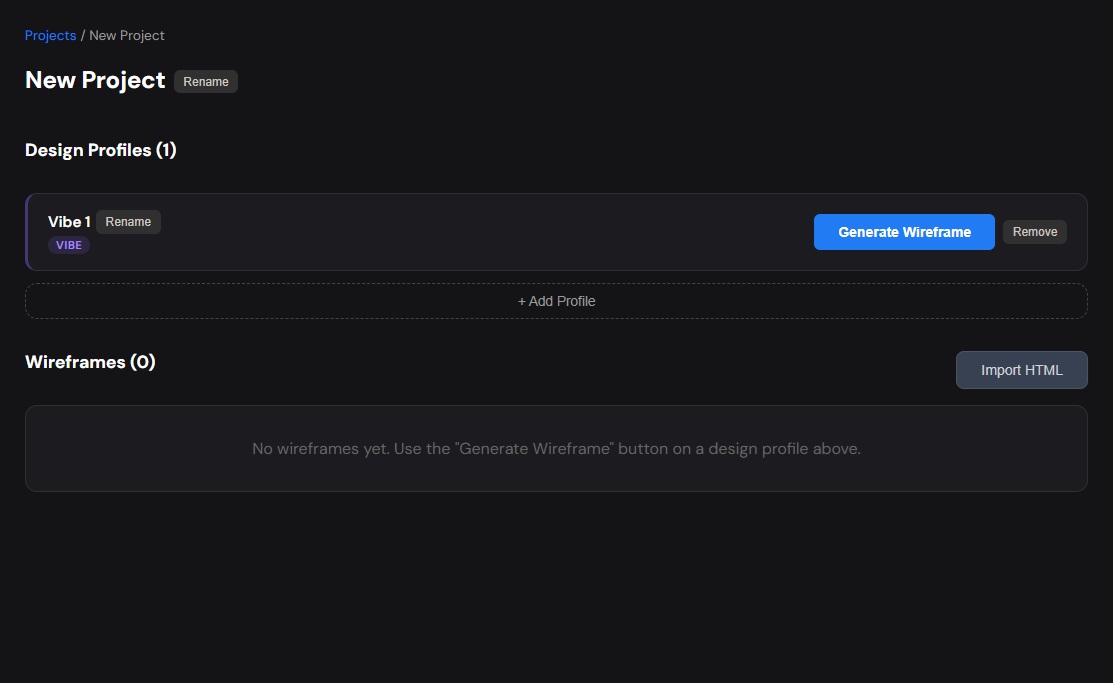
Step 2: Click Generate Wireframe and fill in the 4-step modal manually:
- Add brand colors (hex codes)
- Paste image URLs (logos, product shots) if you have them
- Add font URLs (Google Fonts or custom)
- Write a detailed prompt (minimum 100 characters) describing the page
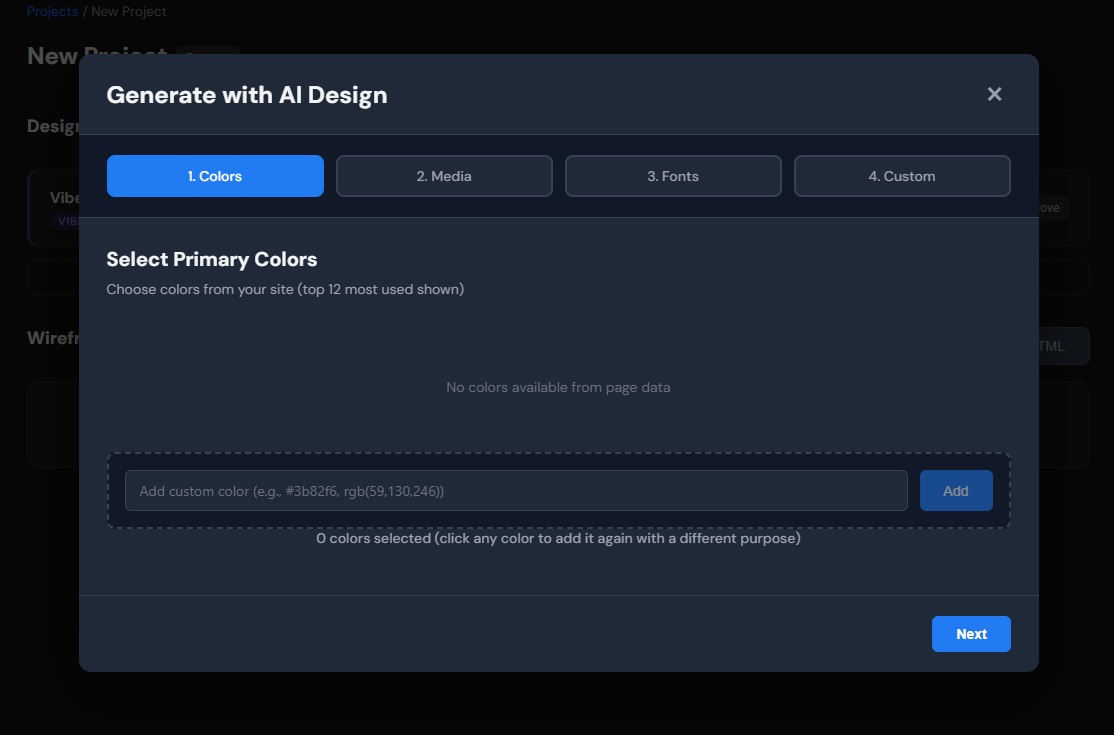
Step 3: Click Generate with Live Preview. Same 30-60 second generation.
Either path gets you from nothing to a shareable wireframe in under five minutes.
How to Make Wireframes Even Faster
Once you understand the basic flow, these techniques speed things up further:
Reuse design profiles. If you have already crawled one page, you can import its colors, fonts, and images into other wireframes in the same project. No need to re-add assets for every generation.
Keep prompts short for exploration. When exploring directions, a short prompt like “Modern SaaS pricing page, clean and minimal” is enough for a first pass. Save the detailed 200-word prompts for when you have picked a direction and want to refine it.
Generate multiple variations. Instead of tweaking one wireframe forever, generate 2-3 fresh ones with different prompt angles. Then pick the best and iterate from there.
Use regeneration with targeted feedback. Instead of starting over, regenerate with specific changes: “Move the testimonials above pricing” or “Make the hero section taller with the image on the right.” This is faster than generating from scratch because the AI builds on the existing structure.
Save default profiles. Once you have your colors and fonts dialed in, save them as the default for that design profile. Next time you generate, they are pre-selected and you only need to write the prompt.
When to Use AI Wireframing vs Other Methods
| Method | Speed | Best For |
|---|---|---|
| AI wireframing | 1-2 minutes per layout | Exploring directions fast, getting stakeholder alignment, starting projects |
| Figma/Sketch | 1-2 hours per layout | Final high-fidelity mockups, complex interactions, design system work |
| Pen and paper | 5 minutes per sketch | Quick personal notes, early brainstorming, no-tech environments |
| UI component libraries | 30-60 min per layout | Building on existing design systems, consistent with current product |
AI wireframing is not a replacement for high-fidelity design. It replaces the blank canvas problem. Use it to explore and align fast, then take the chosen direction into your design tool for polish.
Tips for Building Wireframes Quickly
Name the page type. Starting your prompt with “SaaS landing page” or “e-commerce product page” or “admin dashboard” gives the AI a structural mental model immediately.
Describe in rows. Pages are essentially stacked rows. “Hero with headline and CTA, then three feature columns, then a testimonial carousel, then a pricing table, then a footer” maps directly to what the AI generates.
Reference a vibe. “Clean like Linear” or “dense like Bloomberg” or “editorial like Apple” communicates more than listing every CSS property you want.
Do not over-specify on the first pass. You are wireframing. The goal is structure, not pixel perfection. Let the AI make layout decisions and then course-correct with regeneration.
Batch your pages. If you need to wireframe an entire site (homepage, about, pricing, blog), create one project and generate all four as separate wireframes. The design profile carries your brand assets across all of them.
Frequently Asked Questions
How long does it actually take to generate one wireframe?
30-60 seconds for the AI generation. Add another minute for configuring colors/fonts/prompt, and you are looking at under 2 minutes per wireframe total.
Do I need design skills to build wireframes this way?
No. If you can describe what you want in plain English and paste in some hex colors, you can generate a professional wireframe. The AI handles layout, spacing, typography, and visual hierarchy.
Can I export the wireframe and edit it in Figma?
The output is HTML/CSS, so you cannot directly import it into Figma as vector layers. But you can use it as a visual reference, screenshot it for annotations, or build on it directly in code.
How many wireframes can I generate?
You get 3 free credits per month. Each generation or regeneration costs one credit. Paid plans give you more.
Is this better than using wireframe templates?
Templates are faster than starting from zero in Figma, but you still spend time adapting them to your brand and content. AI wireframing skips that step entirely – it generates a custom layout based on your specific description every time.
Can I wireframe a multi-page website in one session?
Yes. Create one project, and generate separate wireframes for each page (homepage, about, pricing, etc.). They all share the same design profile, so your brand assets stay consistent.
Start Building Wireframes Fast
Pick a page, describe what you want, and generate. No blank canvas, no rectangle dragging, no alignment headaches.
Try it free → 3 free credits/month, no credit card required.