Landing pages should be the easiest thing to design. One page, one goal, one call to action. But somehow they always turn into a negotiation between what the designer thinks will convert, what the client thinks looks good, and what the copy says the page should do.
The real problem is not knowing how to lay out a landing page. You have done plenty of them. The problem is that every client has a different idea of what “good” looks like, and most of them cannot articulate it until they see something they do not like. So you spend a day building out a direction, present it, and the feedback is “can we try something more… bold?” or “this feels too much like everyone else.”
This tutorial shows you how to generate landing page wireframes in under five minutes using Wireframable. Describe what you are designing, give it as much or as little brand context as you want, and the AI builds a styled, responsive landing page mockup. Instead of committing a full day to one layout direction, you can explore several and zero in on the one that clicks.
Want to see the end result before reading the tutorial? Here is a landing page mockup generated entirely with Wireframable.
Why Landing Page Design Is Harder Than It Looks
A landing page has to do more work per pixel than any other page on the site. Every section has to earn its place. The hero has to hook. The features have to differentiate. The social proof has to reassure. The CTA has to close. And all of it has to flow in a sequence that feels natural, not like a checklist of marketing requirements stacked on top of each other.
The design challenge is not “what sections go on this page.” That part is usually in the brief. The challenge is the design direction. Should the hero be bold and full-bleed or clean and minimal? Should features be in a grid, a vertical scroll, or alternating image-text blocks? How much whitespace is enough? How much is too much? Do testimonials go in cards, in a single-column pull-quote style, or as a scrolling carousel?
These are the decisions that eat hours. And the answers are different for every client, every industry, every product. You cannot template your way through them because the whole point of a landing page is that it should feel specific to the thing it is selling.
So you are left guessing. And guessing means building something, showing it, getting feedback, and rebuilding. The more of that cycle you can compress, the faster the project moves.
How It Works
Wireframable generates landing page wireframes from a text prompt and brand assets. You can crawl an existing page for context or start completely from scratch. Describe the landing page you need, select your brand colors, fonts, and images, and the AI produces a fully styled, responsive landing page mockup in about a minute.
The key is that you control how much direction you give. Describe every section in order, or just say “SaaS landing page for a project management tool” and let the AI decide the layout, hierarchy, and visual style. Either approach works. Start loose when you are exploring, get specific once the client points at a direction they like.
Here is the step-by-step.
Step 1: Create a Project
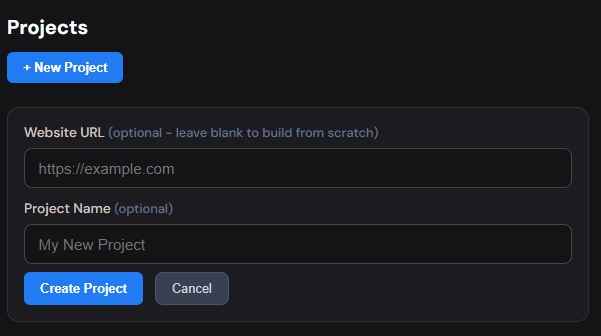
Head to your Wireframable dashboard and create a new project.
Step 2: Crawl a Reference Page (Optional)
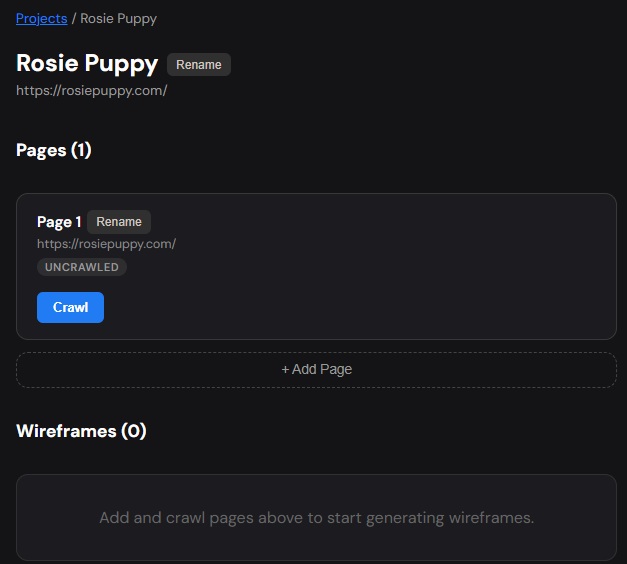
If you have an existing page to work from, whether it is the client’s current site, a competitor, or an inspiration page, enter the URL and let Wireframable crawl it. This pulls in the structure, images, colors, fonts, and content automatically, giving the AI real brand context to build from.
If you are building a landing page from scratch with no reference, skip this step. You can describe everything in the prompt and let the AI generate a design direction on its own.
Step 3: Pull Brand Assets
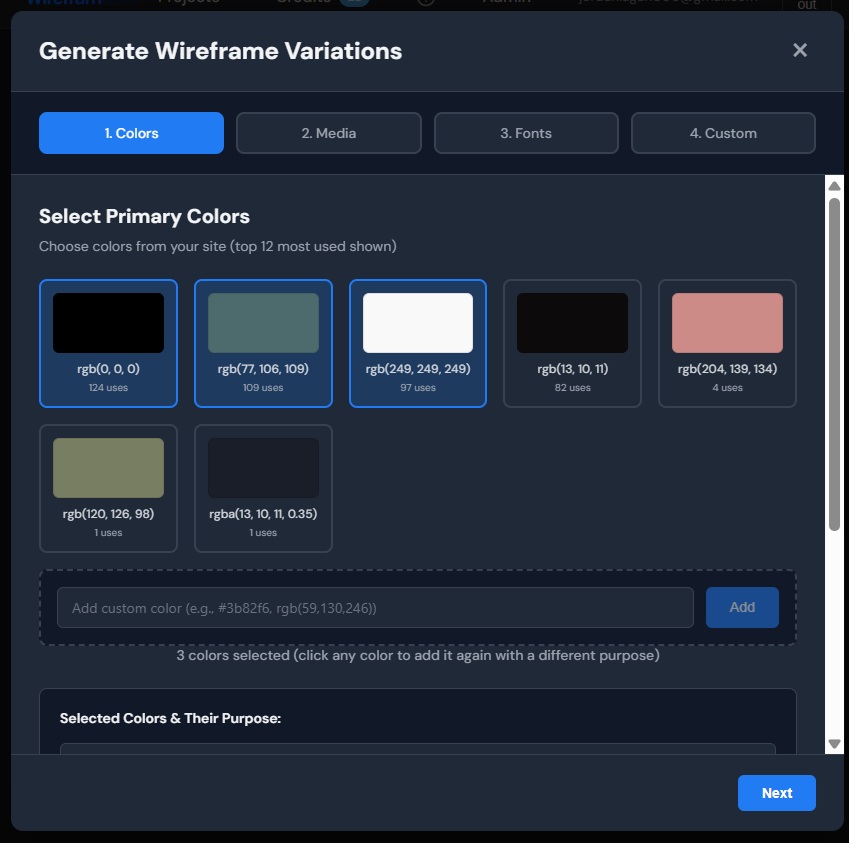
Click Generate Wireframe to open the configuration panel. This is where you set the brand foundation for the landing page.
You can be thorough here or minimal. Handing the AI a full brand kit keeps the output tightly on-brand. Giving it nothing lets it invent a visual direction from the prompt alone. Most of the time you will land somewhere in between: a few key colors, a logo, and a font or two, and let the AI handle the rest.
Colors. Select colors from the crawled page or add your own. Labelling them by role (background, text, accent, CTA) helps the AI map them correctly across sections. If you are still in the exploratory phase, you can leave this open and see what the AI suggests.
Media. Select logos, hero images, product screenshots, or any visual assets that should appear on the landing page. Label them clearly: “hero image,” “product screenshot,” “logo,” “team photo.” The AI uses these labels to decide where each image belongs on the page.
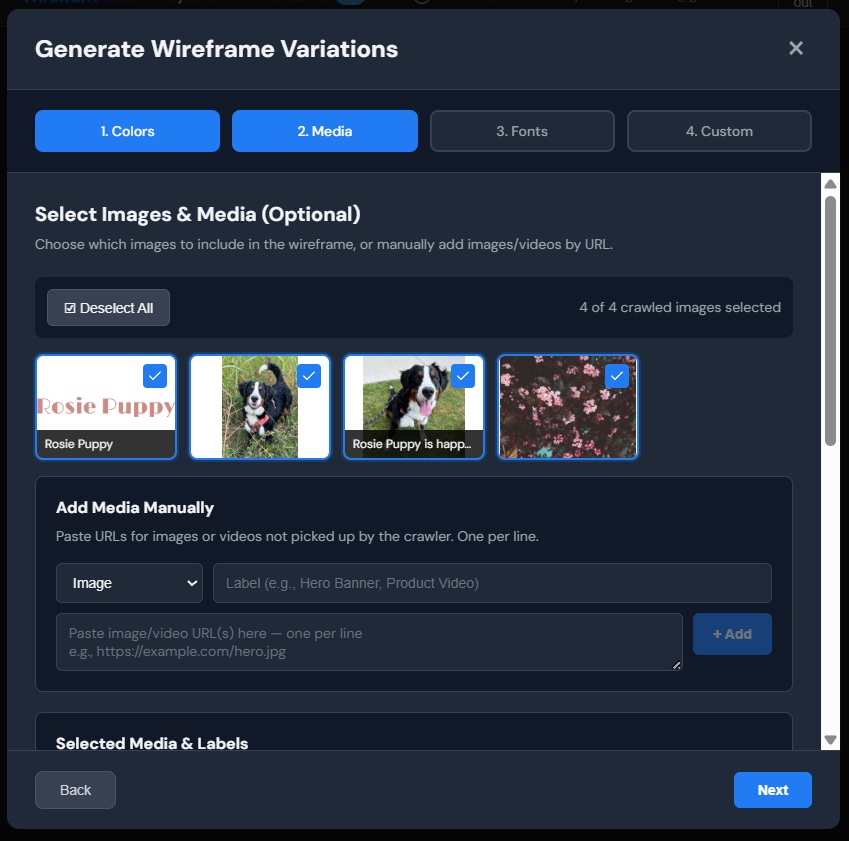
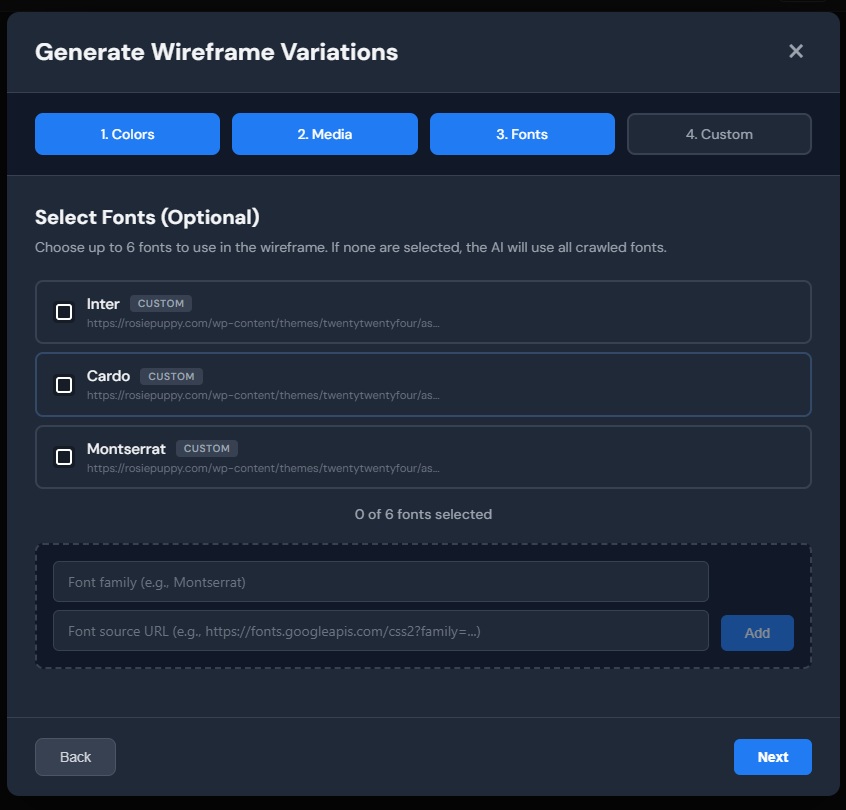
Fonts. Pick the brand fonts or leave it blank and let the AI pair fonts that fit the design direction. If the client has a heading font and a body font decided, set them here. If typography is still open, the AI will make a pairing choice that complements the overall style.
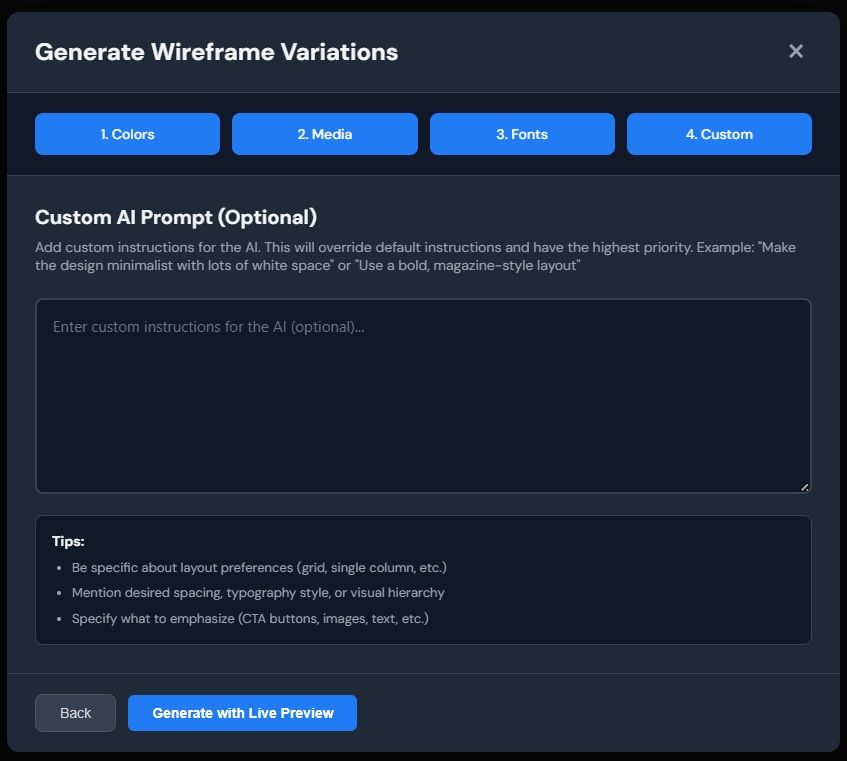
Step 4: Enter a Custom Prompt
This is where you shape the landing page. The prompt is the single biggest lever for controlling what comes out. You can go detailed or open-ended depending on where you are in the project.
When you have a clear brief:
- “Design a landing page for a SaaS project management tool. Hero with headline, subheadline, CTA, and product screenshot. Features section with 3 columns of icons and descriptions. Social proof section with 3 customer testimonials. Pricing table with 3 tiers. Final CTA section. Clean and professional.”
- “Create a landing page for a fitness app launch. Bold and energetic. Hero with a full-bleed background video, overlay headline, and email capture form. Below the fold: 3 key features with phone mockup screenshots, a transformation testimonials section, and a download CTA with app store badges.”
When you are exploring a direction:
- “Design a landing page for a premium accounting firm. Something that feels trustworthy and established, not like a startup. Let the typography and whitespace do the heavy lifting.”
- “Give me a landing page for a DTC coffee subscription brand. Something warm, editorial, not corporate. Make it feel like a magazine spread.”
When you want the AI to lead:
- “Design a landing page for a creative agency. Surprise me.”
Start broad when the client has not committed to a direction. The AI will make opinionated layout and style choices, which gives you and the client something concrete to react to. You can always tighten the prompt once you know what is working.
Step 5: Generate
Hit generate and watch the landing page wireframe build in real time. The AI produces every section, from hero through footer, with styling, layout, and responsive behavior. Generation takes about a minute.
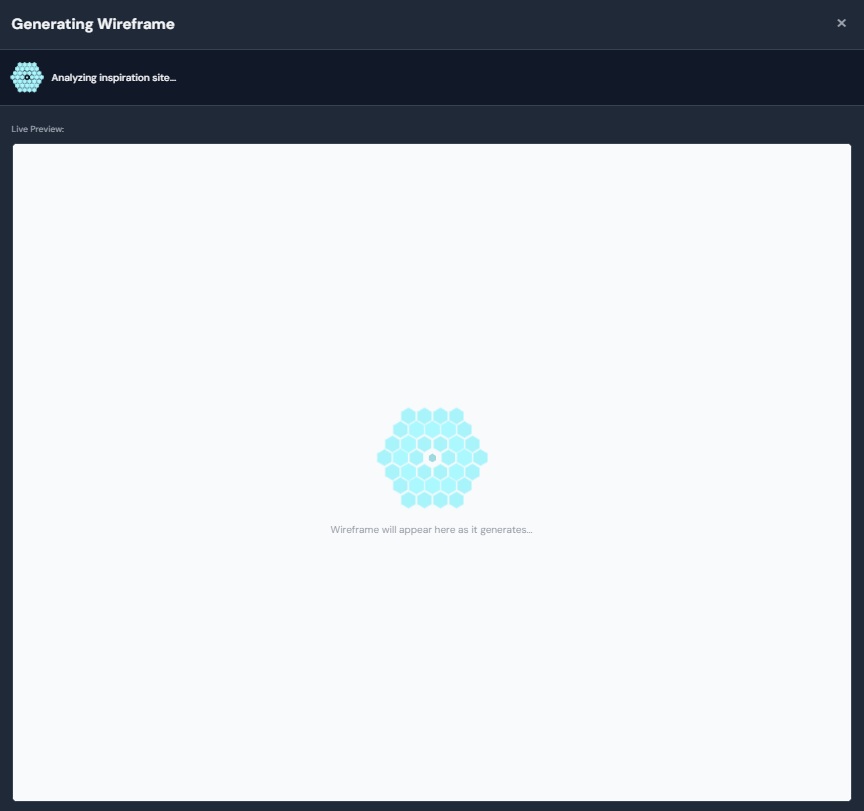
That is it. A fully designed landing page wireframe in under five minutes. No artboard setup, no copying and pasting from UI kits, no overthinking whether the features section should be two columns or three.
What You Can Actually Build
Here is a landing page mockup generated entirely in Wireframable:
Full landing page with hero, features, social proof, and CTA sections. Styled, responsive, and generated from a single prompt.
If It Is Not Quite Right
The first generation is a starting point, not the final deliverable. Most of the value comes from the iteration cycle: generate, evaluate, tighten the prompt, generate again.
Regenerate with a tighter prompt. If the hero does not land or the section order feels off, tweak the prompt and run it again. Your first regeneration of each wireframe is free, and all versions are saved so you can compare.
Refine a specific section. Do not like the features layout but love everything else? Select just that section, describe what you want changed, and regenerate it in isolation. The rest of the page stays untouched.
Report it. If something looks genuinely broken, like missing sections or images that did not place correctly, hit the report button. We read every one.
Where to Go From Here
Once you have a landing page direction the client responds to:
Share it with the client. Generate a public link and send it over. They can view the full page on any device without needing an account. No exports, no figma links, no “can you give me access” back-and-forth.
Bring it into Figma. Screenshot the wireframe and drop it into Figma as a reference layer, or use a plugin like html.to.design to convert the HTML into editable components. The layout decisions, section order, and visual direction are already there. You are polishing, not starting over.
Hand it to a developer. Every wireframe is clean HTML and CSS. If the project is moving to build, a developer can use the output directly as a scaffold.
Iterate on the direction. Generate two or three landing pages with different prompts. One minimal, one bold, one content-heavy. Show all three to the client and let them point at the one that resonates. It is always faster to narrow down from real options than to build up from verbal feedback.
Frequently Asked Questions
Can I wireframe a landing page with AI?
Yes. Describe the landing page you need, from a single sentence to a detailed section-by-section brief, and Wireframable generates a fully styled, responsive landing page mockup in about a minute.
How much does it cost to wireframe a landing page?
Each generation costs 1 credit. Every account gets 3 free credits per month. Your first regeneration of each wireframe is free, so you can tweak the design without spending an extra credit.
Do I need to write all the copy first?
No. You can provide real copy in the prompt if you have it, but the AI will generate placeholder content that fits the layout if you do not. Many designers generate the wireframe first to establish the visual direction, then refine the copy later.
Can I generate multiple landing page variations at once?
Yes. Ask for multiple variations in your prompt (e.g. "give me 2 different directions") and the AI will generate them. Each variation counts as one credit.
Can I use this for paid ad landing pages?
Yes. Landing pages for paid campaigns, product launches, lead gen, webinar signups, or any other single-purpose page all work. Describe the goal and the audience in your prompt and the AI will structure the page for conversion.
Start Generating Landing Page Wireframes for Free
Landing pages are where conversion happens. The faster you get from brief to something visual, the faster the whole project moves forward.
Try it free. Every account gets 3 free credits per month, no credit card required.